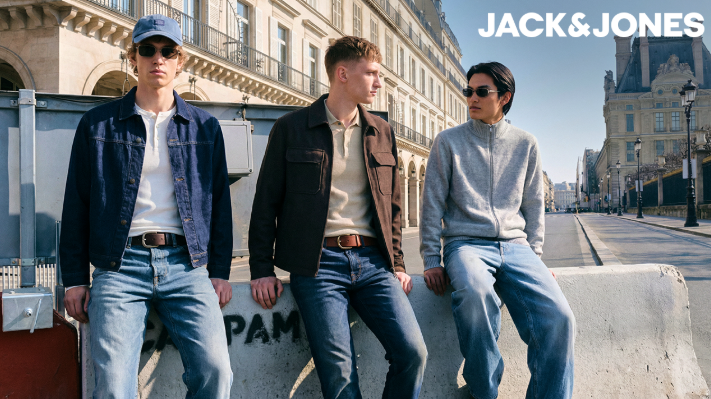
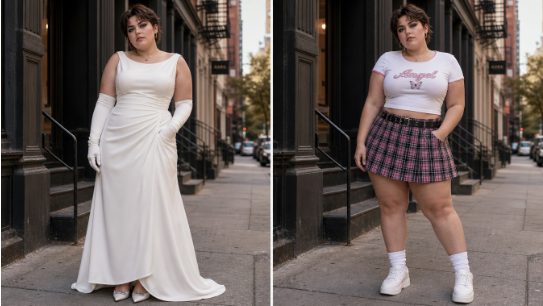
AI clothes swap can work with different body types, but it depends a lot on the source photo, the clothing style, and how much the body shape in the outfit image matches the person in the target image. I’ve tested this kind of tool with straight, curvy, athletic, petite, tall, and larger body shapes, and the results can range from surprisingly natural to clearly edited. Tools like EasyFaceSwap are getting better at keeping faces, poses, and clothing details believable, but they still need good input images.
The short answer is yes, an ai clothes swap can handle many body types, but it doesn’t understand fit the same way a tailor, stylist, or photographer does. It predicts how the garment should look based on pixels, body outlines, pose, light, and texture. That means it can make a dress, jacket, hoodie, or suit appear on a new person, but it may struggle with fabric tension, body proportions, or hidden areas.
Does AI clothes swap work for curvy and larger bodies?
Yes, AI clothes swap can work for curvy and larger bodies, but the quality depends heavily on how the clothing image is built. If the original outfit is worn by someone with a very different shape, the AI has to stretch, reshape, and guess parts of the garment. That’s where errors often show up around the waist, bust, hips, arms, and thighs.
In my tests, loose clothing usually performs better than tight clothing on curvier bodies. Oversized shirts, open jackets, hoodies, coats, and flowy dresses give the AI more room to blend the garment without needing perfect body mapping. Tight dresses, fitted blazers, swimsuits, and corset style tops are harder because small changes in body shape affect how the fabric should curve.
One issue I see often is the AI “smoothing” the body too much. It may reduce natural curves or blur fabric folds because it’s trying to make the image look clean. This can look polished at first glance, but it may not feel true to the person’s real shape. If the goal is shopping confidence, styling content, or a realistic preview, that matters.
Good lighting helps a lot. A clear front facing or three quarter body photo with visible arms and legs gives the AI more information. If the person is turned sideways, sitting down, crossing their arms, or partly hidden by shadows, the clothing swap may look warped or pasted on.
Can AI clothes swap handle petite, tall, and athletic body types?
AI clothes swap usually handles petite, tall, and athletic body types well when the pose is simple and the garment has clear edges. Petite users may see issues with sleeve length, waist placement, and skirt length because the AI may keep the outfit’s original proportions instead of scaling them naturally. A jacket can look too long, or pants can bunch in a way that doesn’t match the person’s frame.
Tall body types can have the opposite problem. The AI may stretch garments vertically, which can make prints, buttons, zippers, or seams look longer than they should. Solid colors hide this better than stripes, plaid, logos, or detailed patterns. If a dress has a strong waist seam, the seam may land too high or too low after the swap.
Athletic bodies often produce strong results because shoulders, arms, and posture tend to give the AI clear shape cues. Still, fitted shirts and sleeveless tops can be tricky. The AI may not always preserve muscle shape under the fabric, or it may make armholes look uneven if the original outfit has a different shoulder width.
Here’s a simple way to think about what usually works best:
| Body type or fit challenge | Usually works better | More likely to struggle |
|---|---|---|
| Curvy or larger body | Loose tops, coats, wrap dresses | Bodycon dresses, tight suits |
| Petite frame | Cropped jackets, simple dresses | Long coats, wide leg pants |
| Tall frame | Solid colors, clean silhouettes | Prints, stripes, fixed seams |
| Athletic build | T shirts, jackets, sportswear | Sleeveless formalwear |
| Different pose angles | Front facing outfits | Crossed arms, seated poses |
This doesn’t mean those harder cases are impossible. It means you may need to test more than one image, adjust the crop, or choose a better outfit reference. AI clothing swap works best when the body shape, camera angle, and clothing type all give the model a clear path.
What affects the realism of AI clothes swap across body shapes?
The biggest factor is pose match. If the person in the target photo is facing forward with relaxed arms, and the outfit image has a similar pose, the result is much more believable. If one image shows a hand on the hip and the other has arms hanging down, the AI has to invent fabric and body areas, which often creates strange wrinkles or missing details.
The second factor is clothing structure. Simple garments are easier because they don’t need exact alignment. A plain sweater, denim jacket, or shift dress can survive small errors. A tailored suit, pleated skirt, lace dress, or graphic T shirt needs more accuracy because the eye quickly spots broken patterns and crooked seams.
Body outline also matters. AI tools look for the silhouette of the person, then try to place the outfit over that shape. If hair, bags, chairs, other people, or background objects cover the body, the AI may confuse those objects with the garment. I’ve seen sleeves blend into hair, handbags become part of a coat, and chair backs turn into strange fabric blocks.
Image quality is another key part. Blurry mirror selfies, harsh flash, and low resolution screenshots all make clothing swaps less reliable. A clean phone photo in natural light often works better than a heavily edited studio shot because the AI can read the body edges and skin tones more clearly.
Skin tone and lighting can also affect the result, especially around the neckline, wrists, and legs. If the outfit photo has cool indoor lighting and the person photo has warm sunlight, the swap may look unnatural even if the clothing shape is correct. Some tools balance this better than others, but extreme lighting differences still show.
Is AI clothes swap accurate enough for online shopping?
AI clothes swap can be useful for style exploration, but I wouldn’t treat it as a true fit guarantee. It can help you see if a color, neckline, sleeve shape, or general outfit style suits your body. It cannot reliably tell you if a waistband will pinch, if a blazer will pull across the chest, or if jeans will fit your thighs and hips in real life.
For online shopping, I find it most helpful at the early decision stage. If you’re choosing between a black blazer, a beige trench, and a cropped denim jacket, AI swap can give a quick visual feel. It can show which shape works with your proportions and which color flatters your photo. That’s valuable, especially when product photos only show one model.
The limits show up when fabric behavior matters. Stretch denim, satin, leather, linen, and knitwear all sit on the body in different ways. AI may display the garment nicely, but it doesn’t know the real fabric weight or stretch. A satin dress may look smooth in the image, while the real one may cling or wrinkle.
Sizing is also outside the AI’s true understanding. It may scale a garment to match your body outline, but that doesn’t mean the real item comes in a size that fits the same way. You still need size charts, reviews, fabric notes, and return policies. AI clothes swap is a visual aid, not a replacement for fit data.
That said, it can reduce bad purchases when used with common sense. If a neckline looks wrong on your frame in several swaps, or a long coat overwhelms your height in every image, that’s useful feedback. It won’t answer every fit question, but it can help narrow choices before you buy.
How can you get better AI clothes swap results for your body type?
Start with a clear, full body photo where your shape is easy to see. Stand in natural light, keep your arms slightly away from your sides, and avoid heavy shadows. A simple background helps too because the AI has less noise to sort through. You don’t need a professional photo, but the image should show your body outline clearly.
Choose outfit references that match your pose as closely as possible. If your photo is front facing, use a front facing outfit. If your photo is angled, pick clothing shown at a similar angle. This one habit improves results more than most people expect because the AI has less guessing to do.
It also helps to test more than one clothing style. If a tight dress looks odd, try a wrap dress or a looser version of the same style. If wide leg pants distort your legs, try straight leg pants. The goal isn’t to force one image to work. It’s to learn which cuts and shapes the tool can show well on your body.
Be careful with hands, hair, and accessories. Long hair over the shoulders can confuse necklines and collars. Hands in pockets may cause strange folds around pants or coats. Bags across the body may get blended into the garment. Small changes in your photo can make the final swap look much cleaner.
The main takeaway is that AI clothes swap does work with different body types, but it works best as a realistic preview tool rather than a perfect fitting room. It can support curvy, petite, tall, athletic, and larger bodies when the images are clear and the outfit style makes sense. Expect some trial and error, especially with fitted clothing and complex poses. Used wisely, it’s a helpful way to explore style, compare looks, and feel more confident before trying or buying clothes.
Write and Win: Participate in Creative writing Contest & International Essay Contest and win fabulous prizes.
About the Author