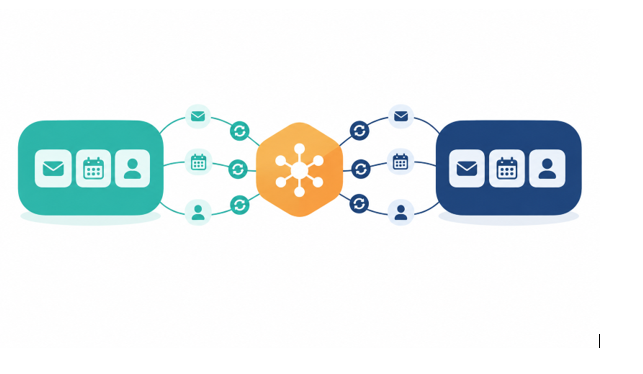
What actually connects, what doesn’t, and the setup decisions that keep a mixed stack tidy
Published: October 2026 | 11 min read | Zoho, Google Workspace, Microsoft 365, Business Software, Kerala
A question comes up often when a business decides to adopt Zoho: do we have to move our email and documents over as well?
Usually the answer is no. A team that has used Gmail for years, or lives in Outlook, doesn’t need to abandon either to run Zoho CRM, Zoho Books or Zoho One. Zoho documents specific ways to connect each of them.
A note on scope. Most of the detail below is about Zoho CRM, whose Google Workspace and Microsoft 365 integrations are the best documented. Other Zoho apps have their own integration options, and Zoho One is a bundle of apps rather than a single connection that links every outside service automatically. Where we mention Zoho Books, we say so.
This guide covers what connects, where each connection has limits, and the decisions that stop a mixed setup from turning into a mess.
Why This Stops Being an Either/Or Question
Google Workspace and Microsoft 365 are productivity suites. They handle mail, calendars, documents, meetings and sign-in. Zoho’s core business apps do a different job: Zoho CRM holds customer records and sales history, Zoho Books holds the accounts, and Zoho Inventory, People and Desk each handle their own area.
Because they do different jobs, running them together is a normal arrangement rather than a workaround. Zoho does sell its own productivity suite, Zoho Workplace, for businesses that want to consolidate, but the CRM and accounting apps don’t require it.
The useful questions are practical ones. What connects natively? Who owns the data when two systems hold the same contact? And who maintains the connection once it’s live?
Zoho and Google Workspace: What Connects
These are separate connections, each enabled and authorised on its own. They are not one switch that links everything. Zoho’s Google Workspace documentation covers the following.
- Gmail can be connected to Zoho CRM through IMAP, POP3 or the Gmail API. Zoho says the Gmail API option reads emails directly from Gmail instead of storing them in the CRM, while IMAP and POP store them in the CRM’s database. A Gmail extension also lets you add leads and contacts, and write notes on records, from inside Gmail.
- Events sync two ways, or one way in either direction. You can also block time in the CRM calendar based on meetings in up to five Google calendars.
- Contacts, Leads and Vendors can sync, one way in either direction or two ways, with a setting for which side overwrites the other when the same contact differs, and a frequency you choose.
- Files from Google Drive can be attached to CRM records without downloading and uploading them again.
- Tasks, web forms and chat. Zoho’s documentation also covers exporting tasks to Google Tasks, web forms for Google Sites, and a Google Chat integration. Check the current details of each before you plan around it.
- A CRM super administrator can add Google Workspace users to the CRM.
The limits worth knowing
Calendar sync. Zoho’s help pages list several limits.
- Recurring events are not supported.
- If you delete a sync and create it again, events are duplicated, and in a two-way sync the duplicates appear on both sides.
- The first sync brings in up to 5,000 entries from the past three months of the Google calendar. Later syncs bring in up to 500.
- Events added in the CRM reach Google instantly. Events added in Google reach the CRM every few minutes.
- Reminders need testing. Zoho’s Google Workspace page maps CRM reminders to Google reminders, carrying over only the first pop-up reminder from Google. Its page for personal Google accounts says reminders do not sync between platforms. Test a few events before telling the team that reminders work.
Contact sync.
- Duplicates are detected using the primary email field in the CRM and the work email field in Google Contacts. Contacts with no email, or with different addresses in each system, can end up duplicated.
- The first sync carries up to 10,000 contacts. Later syncs carry up to 500.
- Zoho notes that Google allows 25,000 records per sync process. Once that limit is reached, Zoho stops pushing records from the CRM to Google.
- Unlike calendar events, deleting a contact sync and creating it again does not create duplicates where the email address matches.
Permissions and defaults.
- Each user’s CRM profile needs the “Sync with Google Calendar” or “Sync with Google Contacts” permission, plus View, Create, Edit and Delete on the related tab. A user with only View permission can enable one-way sync from the CRM to Google.
- When a super administrator adds Google Workspace users, Zoho assigns the Manager role and Standard User profile by default and recommends reviewing them. Do that before the whole team has access.
- With the Gmail API option, an email-sharing setting decides whether other CRM users can see emails exchanged with your contacts. Optional Gmail labels (Deals Closing This Month, Open Deals and Customer) are applied every ten minutes, and emails sorted into them leave the Inbox.
An example. A sales team that lives in Gmail can connect each inbox through the Gmail API option, so customer emails appear next to the contact record without anyone copying and pasting. The mail itself stays in Gmail.
Setting this up well is mostly admin work: sync directions, profile permissions, field mapping and the default roles for new users. A Google Workspace partner in Kerala can handle the Google side so the connection matches how your team actually uses mail and calendars.
Zoho and Microsoft 365: What Connects
The Microsoft side has more parts, and Zoho’s documentation separates them clearly.
- The Outlook add-in. The “Zoho CRM for email” add-in shows CRM details for the sender of an email, and lets you add leads and contacts, convert leads, create activities, add deals, add notes, and associate one email, with its attachments, with several CRM records. Zoho lists supported versions in its troubleshooting notes, including Office 2019 or later on Windows, Office 2016 or later on Mac, a valid Office 365 subscription, and Exchange 2016 or 2019 for Exchange accounts. Check yours against that list before rolling it out.
- The Office 365 sync. Enabled from the Microsoft section of the CRM Marketplace. For events, changes sync both ways, but only events owned by the user sync, the first sync carries up to 5,000 events, and events brought in by import don’t sync. For contacts, synced contacts appear in a dedicated “Zoho CRM Contacts” folder in Outlook with editable field mapping. Only contacts owned by the user sync, the first sync carries up to 10,000, and contacts brought in by data migration or import don’t sync, although contacts created individually or updated in bulk do.
- Office 365 users can be invited into the CRM, but only where their login ID is the same in both systems.
- An Outlook or Office 365 inbox can be connected to the CRM through IMAP, POP or the Microsoft Graph API. Zoho’s release note lists the Graph API option as released across its data centres.
- Microsoft Teams. CRM records can be shared with a person or a channel, dashboard charts can be distributed, and CRM events such as missed calls can trigger Teams notifications. It works with Microsoft work accounts only, and each CRM user can link one Teams account. Separately, Zoho supports Teams Phone, so calls can be placed from the CRM and logged. That connection uses an Azure Communication Services connection string, and only a CRM administrator can enable it.
A CRM profile needs the Microsoft sync permission before a user can enable the sync. Zoho says the original Administrator and Standard profiles have it by default, so custom profiles are the ones to check.
Two examples. A sales manager can send a dashboard chart to a Teams channel and switch on missed-call notifications, so the team sees them without opening the CRM. For finance, Zoho Books documents its own email integration with Gmail and with Outlook or Office 365: link a mailbox, and emails exchanged with a customer appear in that contact’s Mails section. Only one email address can be active per Books organisation, so decide whose mailbox it will be.
As with Google, the effort is mostly in configuration and permissions rather than in the connection itself. A Microsoft partner in Kerala can set up the Microsoft side so it stays consistent with the CRM.
At a Glance
| Google Workspace | Microsoft 365 | |
| Email alongside CRM records | IMAP, POP3 or Gmail API, plus a Gmail extension for adding leads and contacts | “Zoho CRM for email” Outlook add-in; inbox connection by IMAP, POP or Graph API |
| Calendar | One-way or two-way sync; recurring events not supported | Events sync with Office 365, limited to the user’s own events; imported events don’t sync |
| Contacts | One-way or two-way, with conflict rules; duplicates matched on email | Synced into a “Zoho CRM Contacts” folder, limited to the user’s own contacts; imported contacts don’t sync |
| Adding users | Super administrator adds Google Workspace users | Invite Office 365 users, if login IDs match |
Where Mixed Stacks Get Messy
- Two address books and no owner. If contacts can be edited in the CRM and in Google or Outlook, they will drift apart unless you decide which system is the source of truth. Pick one before turning on a two-way sync.
- Imports that don’t sync. Zoho’s Microsoft help says contacts and events brought in by import or data migration will not sync to Office 365. A business that loads a large contact list on day one and wonders why it’s missing in Outlook has hit exactly this.
- Sync that follows ownership. In the Microsoft sync, only records owned by the user sync. A contact owned by a colleague won’t appear in your Outlook. That is by design, but it surprises people who expected a shared address book.
- Deletes that travel. The Microsoft contact sync has an option to delete a CRM contact when it is deleted in Office 365. Read that setting before you enable it. For Google, Zoho’s pages describe conflict rules but we found no statement that deletions carry across, so test it on a few records.
- Duplicate events after a re-sync. Deleting and recreating a Google calendar sync duplicates events. Treat the sync as something you set up once, deliberately.
- Defaults nobody reviewed. New Google Workspace users arrive in the CRM with a default role and profile, and email sharing can expose customer correspondence to other users.
The safest approach is to switch each sync on for a small pilot group first, check what actually moves, and only then roll it out.
One Microsoft Change to Check This Month
Microsoft is retiring Exchange Web Services (EWS) in Exchange Online. EWS is an older interface that some third-party tools and connectors use to read mailboxes. Microsoft’s announcement says it will start blocking EWS requests from non-Microsoft apps from 1 October 2026, and the change applies to Exchange Online only, not to on-premises Exchange Server.
The rollout is tenant by tenant and is controlled by an EwsEnabled setting. Tenants still on the default, unset value are switched to blocked on or soon after 1 October. Administrators can set the value explicitly and use an allow-list to keep named applications working until EWS is fully retired on 1 April 2027. So not every organisation sees the change on the same day, and organisations that have configured the setting see something different from those that haven’t.
Zoho lists IMAP, POP and the Microsoft Graph API as its Outlook email options for the CRM, and none of those is EWS. For the calendar and contact sync, and for any other tool that reads your mailboxes, ask your administrator or implementation partner which Microsoft interface each one uses, and test after the change reaches your tenant.
Zoho Flow: Covering the Gaps
Native integrations don’t cover every need. Zoho Flow, Zoho’s workflow automation product, connects Zoho apps to other tools without custom code, and it lists connectors for both ecosystems.
On the Google side these include Gmail, Google Calendar, Google Contacts, Google Drive, Google Sheets and Google Tasks. On the Microsoft side they include Outlook, Office 365, Microsoft Teams, Excel and Microsoft Entra ID.
Typical uses are automation rather than sync, for example creating a CRM lead from a new spreadsheet row, or posting a Teams message when a deal is won. Zoho Flow is a separate product with its own plans, so confirm which connectors and volumes your plan includes before building on it.
When a Mixed Stack Stops Making Sense
Running Zoho alongside Google or Microsoft isn’t always the right call.
- You’re paying for overlapping tools. If files live in three different drives and nobody knows which is current, simplifying is cheaper than integrating.
- Nobody owns the connections. An integration with no owner breaks quietly and gets noticed weeks later.
- You only need one thing. A business that only needs email doesn’t need a CRM, and one that only needs a CRM doesn’t need to change its email.
- A suite would be simpler. For a very small team without existing habits, a single suite can be easier to administer than two platforms.
The goal isn’t to run the most connected setup. It’s to run the one your team will actually keep tidy.
Before You Connect Anything
- Which system owns the contact record, the CRM or the mail platform?
- Is each sync one-way or two-way, and which side wins on a conflict?
- Do we have bulk imports that Microsoft’s sync will skip?
- Do our CRM profiles have the sync permissions switched on, and have we reviewed the default roles for new users?
- Do we depend on recurring events or reminders, which need checking on the Google calendar sync?
- Who decides whether other CRM users can see email with our contacts?
- Who maintains the connections and checks they still work?
- Which Microsoft interface do our other tools use, given the EWS change?
- Have we tested with a small pilot group before rolling out to everyone?
Frequently Asked Questions
Do we have to move email to Zoho to use Zoho CRM?
No. Zoho’s documentation shows Gmail and Outlook or Office 365 inboxes connected directly to the CRM, so your team can keep the mail platform it already uses.
Can Gmail and Zoho CRM sync automatically?
Partly, and it depends on what you mean. Email, calendar and contacts are three separate connections. Calendar events added in the CRM reach Google instantly, and events added in Google reach the CRM every few minutes. Contact sync runs at the frequency you choose. Email depends on the method: the Gmail API option reads mail from Gmail without storing it in the CRM, while IMAP and POP store it there.
Can Outlook contacts sync with Zoho CRM?
Yes, through the Office 365 sync. Synced contacts appear in a “Zoho CRM Contacts” folder in Outlook, only contacts owned by the user sync, and contacts brought in by import or data migration don’t sync.
What happens if I delete a synced contact?
In the Microsoft sync, there is an option to delete the CRM contact when it is deleted in Office 365, so check that setting. If you disable the sync, the “Zoho CRM Contacts” folder is removed from Office 365 but the contacts stay in the CRM. For Google, test deletions on a few records before relying on any behaviour.
Can Zoho CRM and Microsoft Teams work together?
Yes. Zoho has a Teams integration for sharing records and dashboard charts and for notifications, and a separate Teams Phone integration for calling. The Teams integration works with Microsoft work accounts only, and Teams Phone needs an Azure Communication Services setup.
Are these integrations included in our Zoho plan?
Availability and permissions vary by integration and edition, and some pieces, such as Zoho Flow and the Azure Communication Services setup for Teams Phone, involve separate products or accounts. Confirm the requirements for the specific features you need before planning around them.
Can we use Google Workspace and Microsoft 365 together with Zoho?
Many of these connections are set up per user, so the mechanics can work. But running two productivity suites alongside a CRM adds complexity, so it’s worth asking why before you do it.
Final Thoughts
Choosing Zoho doesn’t mean abandoning the tools your team already knows. For most businesses, the better approach is to let Gmail or Outlook keep doing mail and calendars, let Zoho hold customer and financial records, and connect the two with a few deliberate decisions: who owns each record, which direction each sync runs, and who looks after it.
If you want help planning a setup like this, our team at Techgeum works across Zoho, Google Workspace and Microsoft 365, so the advice isn’t tied to a single vendor. As a Zoho partner in Kerala, we can map your current tools against what Zoho connects to and tell you which connections are worth making.
Article submitted by the team at Techgeum — techgeum.com
About the Author