guys
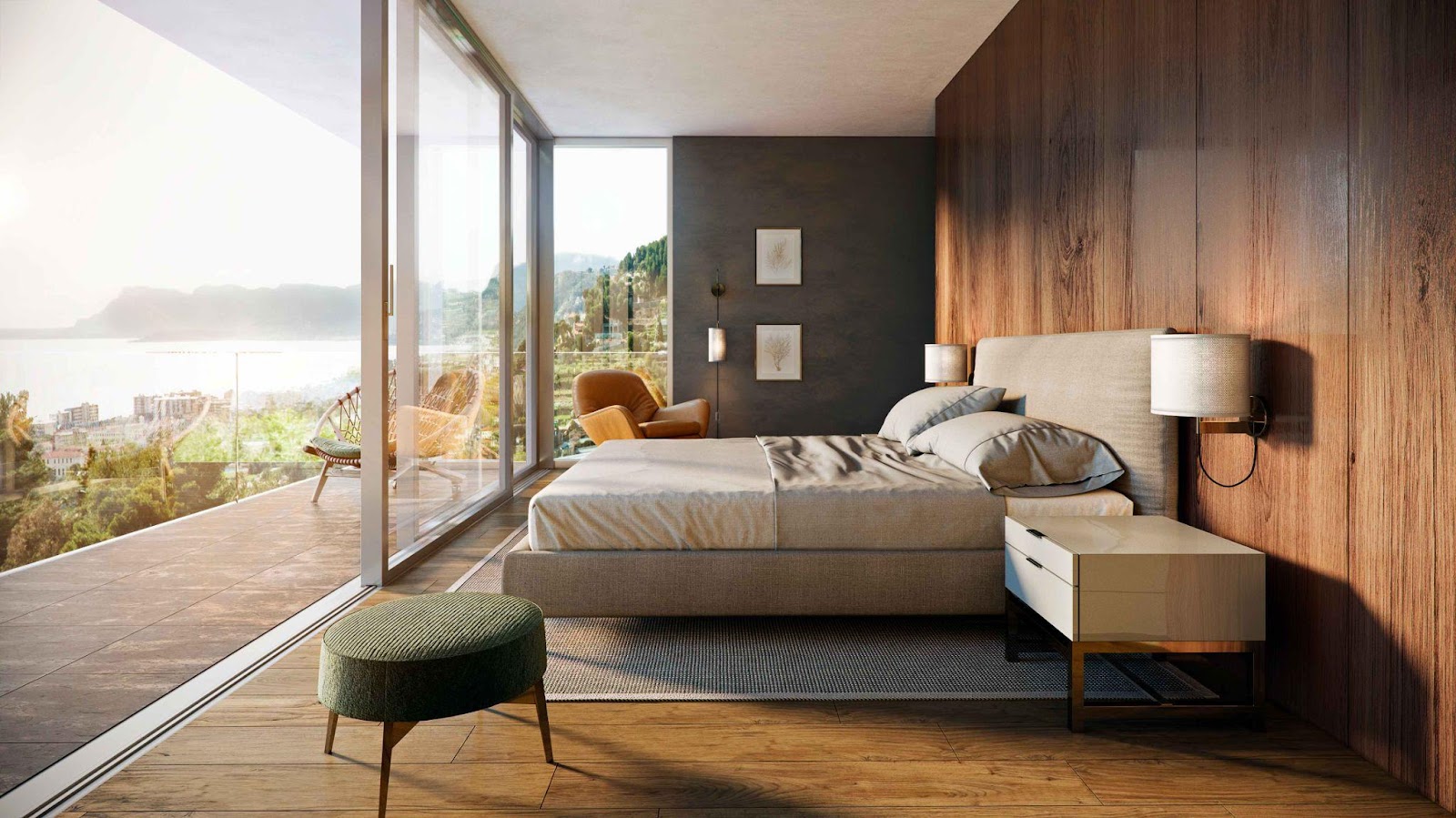
Source: VisEngine
The process of creating architectural visualization is extremely painstaking, time-consuming, and requires the utmost attention to detail. Given the high complexity of this process, the risk of human error remains significant. Some of these errors are systematic and occur more often than others. It is worth noting that the likelihood of making these errors is significantly reduced if you are aware of their nature. It is for this purpose that this article presents a list of the eleven most common mistakes that occur in the field of creating architectural visualization.
Familiarity with these potential errors that may arise during development will help not only to avoid problems, but also to improve the quality of project implementation, which, in turn, will contribute to the growth of your business and take it to a new level. To showcase properties in the best light, interior 3d visualization allows clients to glimpse the future of their potential investments with realistic and detailed visualizations.
Mistake 1. Inaccurate scale and proportions
Inaccurate representation of the dimensions of elements in a scene can lead to misunderstandings and false expectations. This problem often arises from measurement errors, incorrect application of reference objects, or neglect of various small details. To prevent this, always carefully check your calculations and use reference objects to ensure that the scale is correct. It is worth paying attention to specialized software, such as building information modeling (BIM) tools, which help maintain accurate proportions.
Mistake 2. Incorrect lighting
Lighting plays a key role in the formation of composition in architectural visualization, acting as one of the most important factors in ensuring realism and aesthetic appeal. With the help of well-planned lighting, you can emphasize the main idea of the render, ensuring its harmonious perception in conditions close to the real environment. On the other hand, insufficiently thought-out lighting not only violates the believability of the scene but can also nullify the entire idea of the project concept.
Even with careful adjustment of other elements of the model, lighting errors will be acutely felt, as they hurt the overall perception of the design. That is why it is worth paying special attention to this aspect. To avoid such difficulties, several fundamental principles of working with lighting are proposed, the observance of which contributes to achieving optimal results:
- Avoid excessive concentration on one aspect of lighting, strive for versatility;
- Actively use light sources from different angles to create depth and dynamics of the scene;
- Comprehensively optimize the color rendering index (CRI), which allows you to improve the quality of light shades;
- Experiment with completely different lighting parameters to find the most successful solution;
- Use natural tones to soften light transitions and give the image a harmonious look;
- Adjust materials and objects so that they interact effectively with the lighting;
- Achieve consistency between reflections and main lighting to create a holistic visual effect;
- Consider the possibility of introducing diffuse light effects to obtain additional depth of the composition.
Following these recommendations will help optimize the quality of architectural visualization, ensuring its professionalism and artistic perfection.
Mistake 3. Over-using post-processing
Additional processing can improve the final image, but over-using it can lead to unnatural and over-polished results. Striking a balance between post-processing and maintaining a realistic image is important. Common methods of post-processing an image include:
- Various brightness settings;
- Adjusting contrast;
- Adjusting color balance;
- Adding various effects such as depth of field and motion blur.
It is important to use all of these settings sparingly to enhance the image without losing its authenticity.
Mistake 4. Ignoring Context
A building never exists in isolation; it is always part of a larger environment. Ignoring context, such as surrounding structures, landscape, or urban infrastructure, can make a visualization less convincing and realistic. Incorporating environmental elements allows for a more holistic view of the project, demonstrating its complex interaction with the space that surrounds it. This may involve adding neighboring buildings, roads, park areas, and images of people or transport to recreate a living and dynamic environment. The use of tools such as geographic information systems (GIS) can greatly simplify the integration of accurate contextual data into visualizations.
Mistake 5. Unrealistic Materials and Textures
Using low-quality or unnatural textures can seriously detract from the overall feel of your work. To capture the characteristics of wood, metal, glass, or concrete as accurately as possible, you need to carefully recreate their properties, taking into account their real-world counterparts. This includes paying attention to details such as surface irregularities, reflections, and the specific qualities of each material.
Mistake 6. Lack of various small details
Small details are key in architectural visualization. It is small elements such as furniture, plumbing, or landscaping that can radically affect the overall perception of the project. Ignoring these aspects can make architectural visualization dry and incomplete. For interiors, it is worth paying maximum attention to adding such key components as furniture, various decorative elements, or personal details that create a real-life atmosphere.
Mistake 7. Overcomplicated Architectural Visualization Designs
Demonstrating the complexity of architectural visualization is certainly important, but overcrowding the scene with too many elements can lead to chaos and distraction. Strive to simplify where possible, focusing on the most significant aspects of the visualization as much as possible to clearly and effectively communicate the key idea of the project.
Mistake 8. Ignoring human scale
Including human figures in architectural visualization can create a sense of greater scale. If they are omitted, it will be difficult for viewers to understand the true size and functionality of the residential or commercial space. Human figures can be added in various poses and actions to demonstrate how the space will be used.
Mistake 9. Using inconsistent styles
Consistency is key to creating professional architectural visualization. Mixing modern and classic elements can create a chaotic look. Choose a style that fits the overall design intent of the project and ensure consistency in architectural details, materials, colors, and lighting.
Mistake 10. Neglecting the client’s vision, desires, and requirements
Ignoring the needs of the customer can lead to unpredictable results. For successful implementation, it is important to constantly communicate with the client and understand their goals and wishes. A necessary aspect is the demonstration of intermediate versions of the work and the collection of feedback at each stage of the project implementation.
Mistake 11. Ignoring feedback
Ignoring constructive criticism can negatively affect the quality of your architectural visualizations. Be open to receiving valuable feedback from clients, colleagues, and peers, and use it to continuously improve the quality of your work. Consider creating a feedback loop in which you actively seek out the opinions of others, analyze the ideas you receive, and implement effective improvements.
Summary
By avoiding common mistakes, architectural and design teams can create more accurate, effective, and realistic architectural visualizations that fully capture the essence of their projects and meet the current requirements of clients.
Write and Win: Participate in Creative writing Contest & International Essay Contest and win fabulous prizes.
About the Author