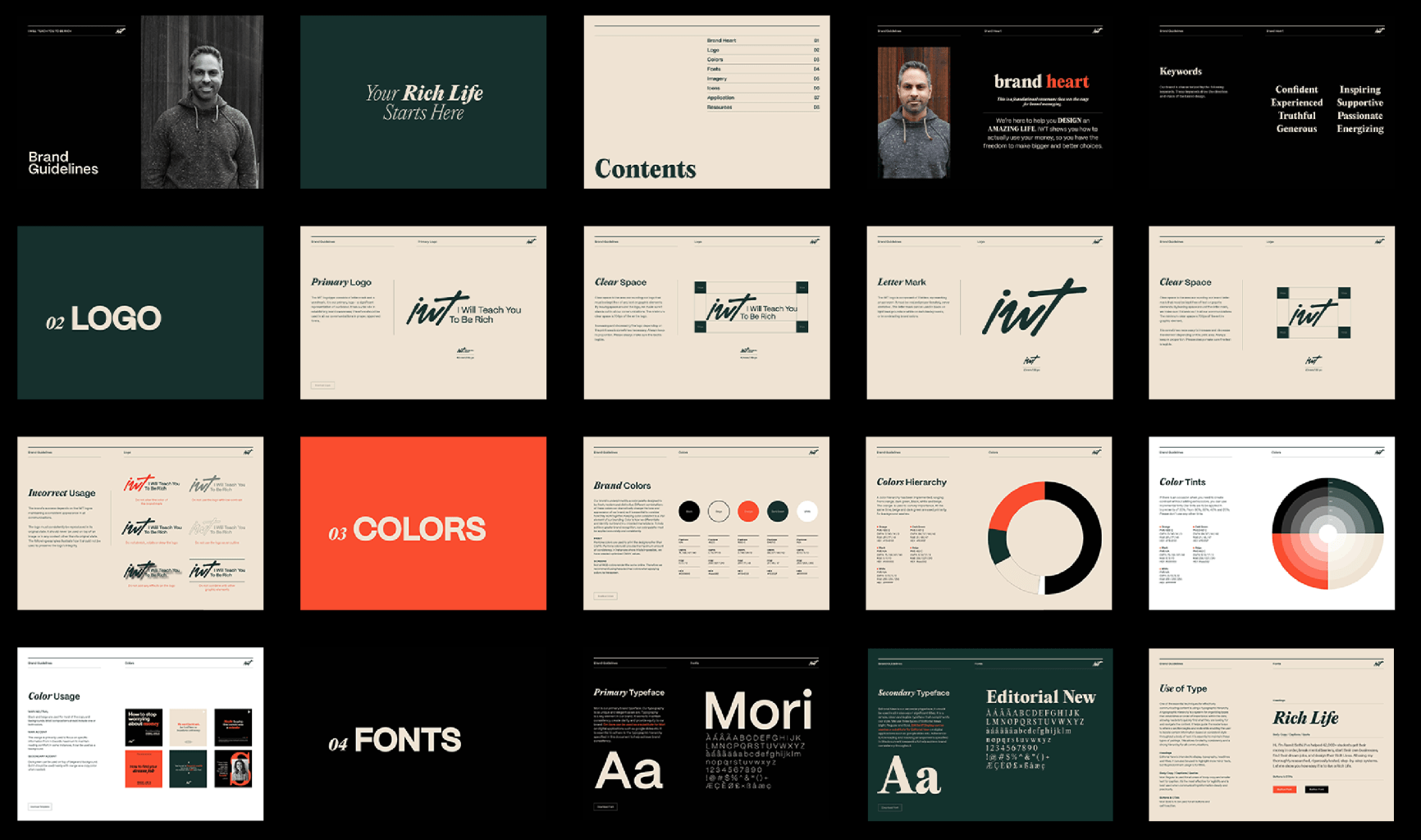
Choosing a font for a brand is not the same as choosing a font for a poster. A poster can be solved with one strong impression; a brand type system has to work across websites, packaging, decks, social media, apps, invoices, investor materials, and small legal text. The right typeface makes a brand easier to recognize and easier to use. The wrong one can create friction every time the team publishes something.
This guide walks through a practical process for choosing brand typography without reducing the decision to taste alone. You will define the brand voice, separate display needs from text needs, test technical quality, check licensing, and build a small typography system that can grow.
What Brand Typography Really Does
Typography as a repeatable brand voice
Brand typography is the written voice of a visual identity. Color, logo, and imagery may change from campaign to campaign, but type often appears everywhere. It shapes how a brand sounds before the reader pays attention to the message. A geometric sans serif may feel efficient and contemporary; a soft serif may suggest editorial confidence; a condensed display face may feel urgent, cinematic, or technical.
Because typography is repeated so often, the decision must combine emotion and function. A typeface has to match the brand’s character, but it also has to survive mundane tasks: navigation labels, product names, long paragraphs, numbers, forms, and multilingual content.
A useful way to judge brand typography is to ask whether the same type choice still feels right when the message becomes ordinary: a checkout error, a pricing table, a support article, or a footer note.
Step 1: Define the Brand Personality
Translate adjectives into type behavior
Start with adjectives, but do not stop there. Words such as modern, premium, friendly, or bold are useful only if you translate them into typographic behavior. Modern may mean low contrast, clean geometry, and open apertures. Premium may mean higher contrast, elegant proportions, or refined serifs. Friendly may mean rounded terminals, generous spacing, and a softer rhythm.
Create a simple scale with opposing traits: serious/playful, neutral/expressive, technical/human, traditional/future-facing. Place the brand on each scale. This gives you a filter before you look at fonts and helps stakeholders discuss typography without saying only ‘I like it’ or ‘I don’t like it.’
Step 2: Map Every Place the Font Will Appear
List the real environments where the font will be used. A DTC brand may need packaging, email, landing pages, paid social, product labels, and Shopify UI. A SaaS company may need dashboards, documentation, app navigation, charts, sales decks, and help-center articles. A cultural institution may need posters, tickets, editorial pages, signage, and exhibition captions.
Common brand touchpoints to include in the map:
- Website pages, landing pages, product interfaces, and forms.
- Packaging, print materials, presentations, and internal documents.
- Social media, digital ads, video titles, email, and support content.
- Small legal text, captions, tables, numbers, and multilingual layouts.
This map tells you whether one family is enough. A lot of brands need a workhorse text family plus a more expressive display typeface. Others can use one broad family with multiple weights, widths, and styles. If the brand will work mostly on screens, prioritize web performance, hinting, and clarity at small sizes.
Step 3: Choose the Right Type Category
Text fonts are designed for reading. They usually have balanced proportions, moderate contrast, and controlled details. Display fonts are designed for large sizes and emotional impact. Workhorse families sit between these needs: they are neutral enough for text and flexible enough for identity work.
For example, a family like TT Norms® Pro can support a broad corporate typeface system because it has a neutral geometric character and a lot of styles. A more expressive typeface may be better for headlines, packaging, or a logo, but risky for long UI copy. The safest decision is often a pair: one reliable text family and one distinctive accent family.
Step 4: Test Readability, Not Just Style
Put each candidate into real layouts. Test a homepage hero, a mobile menu, a paragraph, a product card, a table, a form label, and a legal note. Look at the rhythm of lowercase letters, the shape of similar characters such as I, l, and 1, the spacing around punctuation, and the behavior of numerals.
Readability is not only about whether a person can identify a letter. It is about whether the text feels effortless in context. If a font looks beautiful in a logo but makes product descriptions tiring, use it only for display or keep looking.
Step 5: Check Language Support and Features
A brand may begin in English and expand quickly. Before committing, check language coverage, diacritics, currency symbols, punctuation, fractions, arrows, and OpenType features. If the brand needs Cyrillic, Greek, Vietnamese, or other scripts, do not assume they are included or well designed.
Before committing, verify the practical character set:
- Diacritics and punctuation for every planned language.
- Currency symbols, numerals, fractions, arrows, and common UI marks.
- OpenType features that matter for the brand, such as alternates or small caps.
- Fallback options for channels where the main font cannot be used.
Professional foundries make this easier. For instance, TypeType offers commercial fonts, a lot of families with broad language support, and services such as cyrillization and customization. When a brand needs to move beyond a Latin-only identity, a foundry with script expertise can prevent the multilingual version from looking like an afterthought. See information for catalogue and service context.
Step 6: Review Licensing Before Final Approval
Licensing is part of the design decision. A desktop license may cover logo design and print work, but not website embedding or app use. A webfont license usually depends on page views. An app license may be separate again. Video, digital ads, eBooks, games, and server use can all require different permissions.
Before you present a font as final, write down exactly how the brand will use it in the first year and how it may use it later. This protects the client and the designer. It also avoids the expensive situation where a beautiful identity is approved but the font cannot legally be used in the actual product.
Step 7: Build a Small System
Define roles before adding styles
A brand type system does not need to be huge. Define the primary family, secondary or display family, fallback fonts, weights, sizes, line heights, and use cases. For example: Display Bold for campaign headlines; Text Regular for body copy; Text Medium for navigation; Mono for code or data; Serif Italic for editorial pull quotes.
Create rules but keep them usable. Designers should understand when to use each style, developers should know which files to load, and marketers should have enough flexibility for campaigns without breaking the identity.
Document these decisions in plain language so that the system can be used by people who were not involved in the original brand design process.
Final Checks Before Approval
| Approval check | What to confirm | Why it matters |
| Stakeholder alignment | Show the same test layouts and criteria to every decision-maker. | Keeps the discussion focused on brand fit, readability, and production. |
| Realistic prototype | Test the chosen type in scrolling, resizing, localization, and interaction. | Reveals problems that a static style tile can hide. |
| Exact sizes | Compare candidates at the real sizes used in the project. | Prevents approving a font that only works in a specimen or hero layout. |
| Accessibility | Check open shapes, distinguishable characters, and a useful weight range. | Makes the system usable beyond ideal brand-deck conditions. |
| Fallback fonts | Choose safe alternatives with similar proportions for email, documents, and emergencies. | Protects layouts when the primary font is unavailable. |
| Economy and maintenance | Approve only the weights and styles the team truly needs. | Reduces inconsistency and makes the system easier to reproduce. |
| Decision note | Record why the typeface was chosen, where it is used, and which license is needed. | Helps future team members understand and maintain the system. |
Common Mistakes to Avoid
Do not choose a font only because it is trendy. Trends move faster than brand systems. Do not rely on a logo preview as the only test. Do not ignore numerals if the product uses prices, statistics, or dashboards. Do not forget fallback fonts for web use. Do not assume a free font has the license or quality your project needs.
The biggest mistake is treating typography as some decoration. In a brand system, type is infrastructure. It affects lots of things such as recognition, accessibility, production speed, and legal safety.
Summary
- Define the brand personality before opening a font library.
- Map every real use case: web, product, packaging, documents, ads, and small text.
- Separate text needs from display needs instead of forcing one expressive font to do everything.
- Test candidates in real layouts, at real sizes, and on the devices the audience will use.
- Check language support, numerals, punctuation, OpenType features, and web performance.
- Review licensing before approval, especially for websites, apps, advertising, and client handoff.
- Keep the final brand type system clear, economical, accessible, and easy for teams to maintain.
FAQ
How many fonts should a brand use?
Most brands need one or two families. Use more only if each has a clear role.
What is the safest font category for a new brand?
A broad sans serif family is usually the safest starting point, but it may need an expressive companion.
Should a logo use the same font as the brand system?
Sometimes, but not always. A customized logo can share DNA with the system while remaining more distinctive.
Are variable fonts good for branding?
Yes, if the design and browser support fit the project. They can help responsive systems and reduce file complexity.
When should a brand consider a custom typeface?
A custom typeface is worth considering when typography needs to become a recognizable brand asset, support specific languages, or solve technical requirements that retail fonts cannot fully cover.
Write and Win: Participate in Creative writing Contest & International Essay Contest and win fabulous prizes.
About the Author