
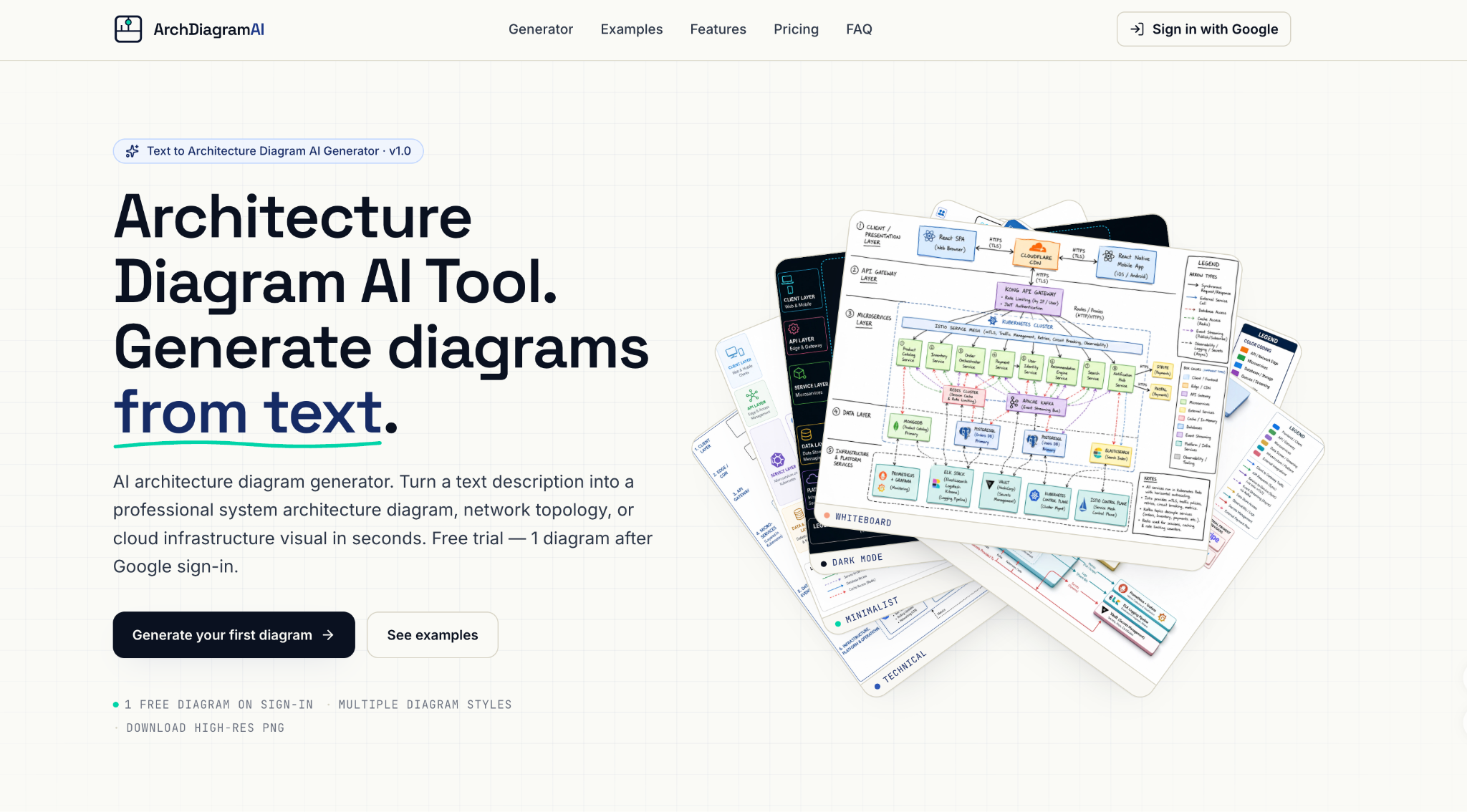
Most architecture documentation problems are not about unknown systems — they are about existing visuals that are too rough, outdated, or inconsistent to reuse. A whiteboard photo from a planning session captures the right structure but cannot go into a design document. A legacy diagram built in an older tool is still structurally accurate but visually inconsistent with current documentation standards. A set of partial screenshots from different internal sources describes the full system but no single one of them tells the whole story. Architecture Diagram AI solves all of these directly with its image-to-image reference system: upload up to 16 reference images alongside a text prompt, and the AI generates a clean, professional architecture diagram that preserves the underlying structure while applying the style and quality needed for real use.
This capability makes the platform practical for the most common real-world documentation situation — not building from scratch, but refining what already exists.
What Is Image to Architecture Diagram?
Conventional diagramming tools require rebuilding from scratch when an existing diagram needs a new visual treatment. Architecture Diagram AI works differently: the AI reads the structural information present in your uploaded images — component positions, connection patterns, architectural zones — and uses that as the foundation for the output. The text prompt provides visual direction and fills in whatever the reference images don’t cover.
The result reflects the actual structure of your reference material, not a generic interpretation of a text description. A whiteboard sketch produces a different output than a Confluence screenshot because the AI reads each reference for its specific structural content.
Three steps to a finished diagram:
- Upload your reference images — Add up to 16 images: whiteboard photos, legacy diagram exports, Confluence or Notion screenshots, hand-drawn sketches, or any combination of existing visuals that describe the system.
- Add a text prompt — Describe the target visual style and any structural details the reference images don’t fully convey. The images provide structure; the prompt provides direction.
- Generate and download — A watermark-free PNG at 1K, 2K, or 4K resolution in 20 to 60 seconds, ready for documentation, presentations, or published content.
What You Can Create
- Whiteboard-to-documentation conversions — Clean, styled diagrams from planning session photos that are too rough to use in official documentation as-is
- Legacy diagram refreshes — Modern visual treatments of architecturally accurate but visually outdated diagrams from older tools
- Consolidated system maps — Single unified diagrams from multiple partial screenshots or sources that individually only show part of the full system
- Style-matched documentation sets — New diagrams that visually match an existing reference diagram from a previous project or documentation series
- Presentation-ready outputs from internal sketches — Draft materials converted into polished visuals for stakeholder meetings without manual rebuilding
Core Capabilities of Architecture Diagram AI
Structure From Existing Images
The reference system accepts up to 16 images per generation, handling everything from single-sketch cleanup to multi-source consolidation in one pass. The AI interprets structural information from each uploaded image — component positions, connection lines, groupings, labels — and synthesizes them into a single coherent output.
For complex systems where architecture information is spread across several partial diagrams or screenshots, this multi-image capability produces results that would take hours to achieve manually: a complete, unified diagram that accurately reflects the full system as captured across all reference materials.
Any Visual Style Applied to Existing Structure
Six built-in styles let the same reference material be rendered in very different ways depending on context: Technical for internal engineering documentation, Minimalist for stakeholder presentations, Dark Mode for developer-facing content, Whiteboard when an informal tone is intentional, Colorful for onboarding and blog posts, and 3D Isometric for platform storytelling and published engineering content.
The same whiteboard photo can be regenerated in any of these styles — or in a Custom style described in your prompt — without touching the architecture. Producing audience-appropriate versions of the same system from one set of reference images takes seconds, not hours.
Text Prompts Fill the Gaps
Reference images provide structural foundation, but they rarely capture everything. A whiteboard photo may be partially obscured. A legacy diagram may be missing recently added services. A screenshot may show only one layer of a multi-layer system. The text prompt fills these gaps: specify missing components, clarify connection directions, add services the reference doesn’t show, or describe the overall visual direction.
For best results: Upload the clearest available version of each reference — if multiple sources describe the same system, include all of them. Write the prompt to address what the references don’t show rather than re-describing what’s already visible. Specify style and resolution explicitly (e.g. “Technical, 2K”) to ensure the output is immediately usable. For large or complex systems, generate two versions from the same input and refine from the one that best captures the structure.
Who This Is Built For
- Developers & Engineers — Convert whiteboard photos and rough planning sketches into documentation-ready assets without rebuilding from scratch in a manual tool
- Tech Leads & Architects — Refresh legacy diagrams, consolidate multi-source references, and produce presentation-ready outputs from existing rough materials for design reviews and stakeholder meetings
- Technical Writers & Bloggers — Use existing internal architecture visuals as references to generate publication-quality diagrams in styles appropriate for the target content and audience
Price of Architecture Diagram AI
Free Plan — $0
- 1 credit after signup
- Supports 1K resolution
- Best for testing the architecture diagram tool before upgrading
Pro Plan — $19 per month
- 300 credits per month
- Supports 1K, 2K, and 4K resolutions
- Best for individual developers, software architects, and regular users
Team Plan — $59 per month
- 1,500 credits per month
- Supports 1K, 2K, and 4K resolutions
- Best for engineering teams and organizations with frequent diagram needs
One-Time Plan — $19
- 240 credits with a single payment
- Credits never expire
- Supports 1K, 2K, and 4K resolutions
- Best for freelancers, consultants, and occasional users
One-time top-up credits are available at $19 for 240 credits — no expiry, no recurring billing.
Conclusion
The architecture already exists — in a whiteboard photo, a legacy file, or scattered across several partial diagrams. The Image to Architecture Diagram removes the manual work of turning that existing material into a clean, styled, professional visual: upload the references, describe the target style, and receive a high-resolution PNG in under a minute. For anyone who starts with rough existing materials and needs documentation-quality output without rebuilding from scratch, this is the most direct path from what exists to what is needed. Start with one free diagram at architecturediagramai.com — Google sign-in required, no credit card needed.
Write and Win: Participate in Creative writing Contest & International Essay Contest and win fabulous prizes.
About the Author