Data centers are the backbone of modern digital infrastructure. From cloud services to enterprise-level operations, they house the servers and network equipment that power the online world. In such mission-critical environments, efficiency, space optimization, and ease of access are top priorities.
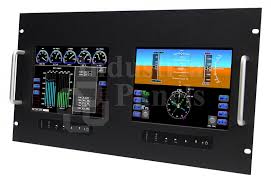
One piece of equipment that significantly enhances workflow in data centers—yet often goes unnoticed—is the rackmount monitor. Compact, durable, and highly functional, rackmount monitors are designed specifically for rack-mounted systems. They play a key role in improving operational efficiency, reducing downtime, and optimizing physical space.
In this article, we’ll explore how rackmount monitors contribute to better workflow in data centers and why they’re an essential investment for IT infrastructure teams.
What Is a Rackmount Monitor?
A rackmount monitor is a display screen that fits into a standard 19-inch server rack. These monitors usually come in sizes ranging from 17″ to 19″ and are available in single-unit (1U or 2U) slide-out designs. Many rackmount monitors also include a built-in keyboard and trackpad or touchpad, commonly referred to as KVM (Keyboard, Video, Mouse) consoles.
They are engineered for professional IT environments where space-saving, security, and ease of access are critical.
1. Maximizing Rack Space and Reducing Clutter
One of the most obvious advantages of rackmount monitors is space efficiency. Traditional desktop monitors require dedicated counter space, which simply isn’t feasible in a data center filled with stacked server racks.
A rackmount monitor:
By reducing physical clutter, technicians can move through aisles and racks more easily, enhancing safety and productivity. The sleek, compact form factor makes them perfect for environments where every inch matters.
Complementing rackmount monitors, choosing the right cabinet layout and mounting depth can further maximise usable space and improve airflow for densely populated racks. Properly specified Server Room Racks- Server Room Environments—from 4U to full 47U enclosures and options like acoustic or air-conditioned cabinets—help organise KVM consoles, power distribution and cable runs while maintaining service access.
When racks are designed with cooling, cable management and weight distribution in mind, technicians spend less time untangling cables and more time on diagnostics. That combination of compact consoles and well-chosen cabinets materially reduces downtime and supports safer, more efficient data‑centre operations.
2. On-the-Spot Troubleshooting
Downtime in a data center can cost businesses thousands—or even millions—of dollars per hour. Having immediate, local access to servers is crucial when remote access tools fail or when physical diagnostics are required.
Rackmount monitors offer:
- Direct connection to servers within the rack
- Instant access for BIOS configuration, firmware updates, or hardware diagnostics
- KVM functionality that allows switching between multiple servers from one console
Instead of wheeling in a laptop or searching for an external display, technicians can simply slide out the rackmount monitor and begin working. This instant access saves valuable time during emergencies.
3. Enhanced Security and Control
Data centers must adhere to strict security protocols. The fewer external devices introduced into the environment, the lower the risk of malware, unauthorized access, or accidental data breaches.
Rackmount monitors improve workflow while also supporting security by:
- Reducing reliance on personal laptops or USB drives
- Keeping all server interaction within the closed system
- Eliminating unnecessary cabling or removable components
Some high-end models even offer biometric access or smart card readers for added control.
4. Centralized Server Management with KVM Integration
Most rackmount monitors include a KVM switch that allows IT staff to control multiple servers from a single interface. This consolidates operations and significantly streamlines workflow.
With integrated KVM, technicians can:
- Switch between up to 16 servers using hotkeys or a simple menu
- Avoid walking across the server room to connect to different units
- Perform batch updates or diagnostics without multiple devices
The ability to manage various systems from one spot simplifies operations, reduces physical strain, and increases productivity.
5. Improved Cable Management
Cable chaos is one of the biggest challenges in a busy data center. Each external monitor adds to this clutter, potentially blocking airflow and causing hazards.
Rackmount monitors help maintain clean and organized racks by:
- Staying inside the cabinet
- Using minimal internal cabling
- Avoiding desk-level HDMI or power cables
Neat cable arrangements improve cooling efficiency and reduce the risk of disconnections or hardware failure. This is particularly important in high-density server environments.
6. Durability and Long-Term Reliability
Data centers operate 24/7, and the equipment within must withstand heavy use. Rackmount monitors are built to meet these demands with:
- Industrial-grade construction (metal enclosures, rugged hinges)
- Shock and vibration resistance for mobile server racks
- Reliable components that last for years under constant operation
Unlike standard monitors, rackmount displays are purpose-built for non-stop, mission-critical environments. This means less downtime and fewer replacements over time.
7. Versatile Input Options and Compatibility
Rackmount monitors often support multiple video input formats including:
- VGA
- HDMI
- DisplayPort
- DVI
This ensures compatibility with legacy systems as well as modern servers. Many models also offer touchscreen capability or customizable input layouts, making them adaptable to evolving infrastructure needs.
This level of versatility reduces the need for converters or adapters, simplifying setup and minimizing compatibility issues.
8. Faster Maintenance and System Updates
System maintenance is a routine part of running a data center—whether it’s replacing hardware, performing reboots, or updating BIOS. Rackmount monitors speed up this process by allowing local, real-time interaction with the servers.
Benefits include:
- No need to schedule remote desktop sessions
- Bypassing failed network connections
- Easily seeing system alerts or error messages
This leads to quicker resolutions and less downtime, both of which are vital for operational continuity.
9. Scalability for Growing Infrastructures
As data centers expand, having scalable equipment becomes essential. Rackmount monitors support this by offering:
- Modular KVM extensions (8-port, 16-port, etc.)
- Daisy-chaining capabilities for future growth
- Mounting flexibility (1U to 4U options)
This allows data center operators to add new servers and displays without needing a redesign or additional workstations.
10. Supporting Remote and Hybrid Access
Even though many IT teams work remotely or rely on cloud-based server management, on-site access is still necessary for critical tasks. Rackmount monitors act as the bridge between remote and physical operations, providing reliable fallback when remote systems fail or when physical intervention is required.
They ensure that:
- Remote access issues don’t stall productivity
- Firmware-level access is always available
- On-site staff can respond quickly to hardware alerts
This hybrid support model is key for modern data centers balancing cloud and physical infrastructure.
Final Thoughts
In a world where data centers are becoming more complex and mission-critical than ever, optimizing workflow is no longer optional—it’s a necessity. Rackmount monitors may seem like a small piece of the puzzle, but their impact on efficiency, control, and uptime is substantial.
From space savings and centralized control to faster troubleshooting and enhanced security, rackmount monitors play a vital role in creating a high-functioning, future-ready server environment.
If you’re looking to improve operational efficiency, reduce downtime, and streamline server management, investing in rackmount monitors is a smart move.
Write and Win: Participate in Creative writing Contest & International Essay Contest and win fabulous prizes.
About the Author