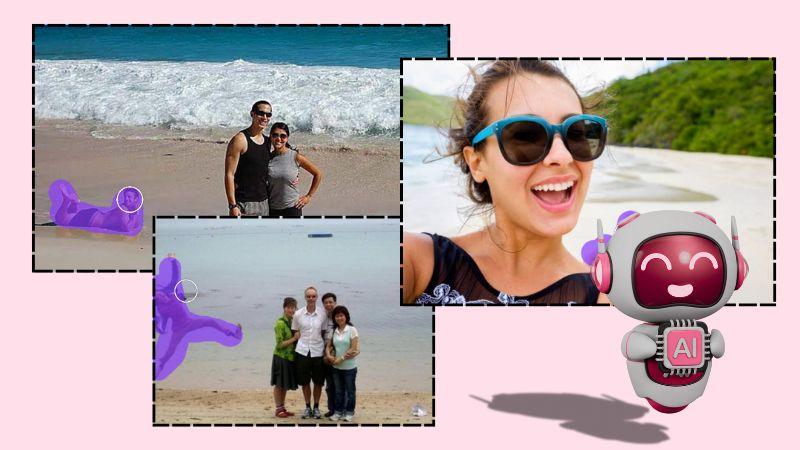
Just when you think the background is perfect for a photo, you set your phone up and put it on a timer (since you’re alone) and someone suddenly walks right behind you. You can’t exactly tell the world to stop moving just because you’re about to take a picture. And that’s not the only situation where you need a clean shot. Whether you’re doing product photography, nature photography, or something else, unwanted objects in the frame can be a real nuisance. Fortunately, you can now remove them as if they were never there. Traditional photo editing won’t get the job done nearly as well as can, with minimal effort and maximum results.
Why Unwanted Objects Can Affect the Quality and Composition of a Photo
Normally, when someone takes a professional photo, they want to capture the moment—not the distractions surrounding it. While some photographers have a unique style of “capturing life” and may intentionally include background activity, others prefer a cleaner look. If you’re someone who doesn’t want extra elements in the background, having them can be frustrating.

Suppose you’ve only found one good photo in your gallery for your LinkedIn profile. A clear background—free from unnecessary objects or people—can make the photo look much more professional and polished.
- Unwanted objects can also disrupt the overall composition of a photo. As mentioned, they create unnecessary distractions and take away from the essence of the picture. Whether it’s a LinkedIn headshot, a family portrait, or a graduation ceremony photo, moments like these are your time to shine—and distractions can take that away.
- From amateur to professional photographers, whether photography is a hobby or a career, the vision behind each shot is something they strive to uphold. It can be a real struggle when unwanted elements appear in the frame. They disturb the focal point of the picture, diminishing the message or emotion the photographer intended to convey.
- In product photography especially, the goal is often to keep the object as the center of attention. You may not want anything else nearby—or you might regret placing an item in the frame that ruins the overall theme. Either way, eliminating these distractions can make all the difference.
How AI Can Help
AI makes use of its intelligent capabilities to help you effortlessly clean up an image—making it seem as if the passive passerby never crossed your frame or that mistakenly placed object was never even there. With its powerful object removal abilities, AI works like digital magic. Here’s how it does it:
Content-Aware Fill: AI Image Replacer is an incredibly intelligent tool that does more than we often give it credit for. It uses machine learning technology, and since it’s fed with massive amounts of data, it intelligently simulates and analyzes the picture—clearly identifying what you aim to achieve with your photo. This ultimately helps you get rid of unwanted objects.

While an object placed on a clear background is easier to remove without leaving a trace, subjects with complex backgrounds can be much more challenging. In such cases, content-aware fill uses AI to not only identify the object in the foreground that you want to remove, but also understand what should be in the background. It then flawlessly fills in the space with appropriate details, making the edit appear natural.
AI-Powered Object Detection: AI-powered tools typically use a feature called object removal, which helps identify what needs to be removed from a photo in the first place and then remove object with a swipe. In many cases, they provide a brush tool that allows you to manually brush over an object, giving the AI a hint about what you want to remove. Other times, the tool automatically detects the main subject and removes all the unnecessary background elements that might be distracting or taking away
Traditional Methods of Removing Unwanted Objects
Before AI object removal tools, people relied on manually removing unwanted objects from images. Some of the most common traditional methods included:

Clone Stamp Tool:
If you’ve used Photoshop or any other advanced photo editor, you’re probably familiar with this feature. It works by selecting a portion of the surrounding background and “stamping” it over the object you want to remove. Essentially, you create a clone of the area you want and place it on top of the unwanted object.z
Healing Brush Tool / Spot Healing:
Removing blemishes or pimples from the face has been around in photo editing for ages. While today’s object remover tools can handle that easily, the healing brush was traditionally used to cover up blemishes by blending them with the surrounding pixels—giving the image a uniform texture and color.
Cropping:
The crop tool is one of the oldest and simplest ways to remove unwanted parts from a picture. All you had to do was crop the object out of the frame. However, this only worked well if the distracting element was near the edge of the image—otherwise, cropping could compromise the composition or quality of the photo.
Layer Masking:
This is a more advanced and complex editing technique, typically used in professional editing software. It involves creating multiple layers of a single image, then using masks to hide or blend the unwanted parts. It gave editors greater control but required more skill and time to execute properly.
Bottom Line
The art of removing an object from a photo lies in the fact that you are not able to detect that there was anything there in the first place, usually with traditional methods a little distortion here and there give it away that object has been removed and it
Write and Win: Participate in Creative writing Contest & International Essay Contest and win fabulous prizes.
About the Author